Last updated: September 2026. Disclaimer: This article is for informational purposes only and does not constitute official immigration advice. Always verify details on the official portal visa2egypt.gov.eg.
The most common Egypt evisa common errors in 2026 include passport number mismatches, misspelled names, wrong dates of birth, non-compliant photos, and special characters in British surnames that the portal cannot process. Always verify every field against your passport bio page before submitting payment.
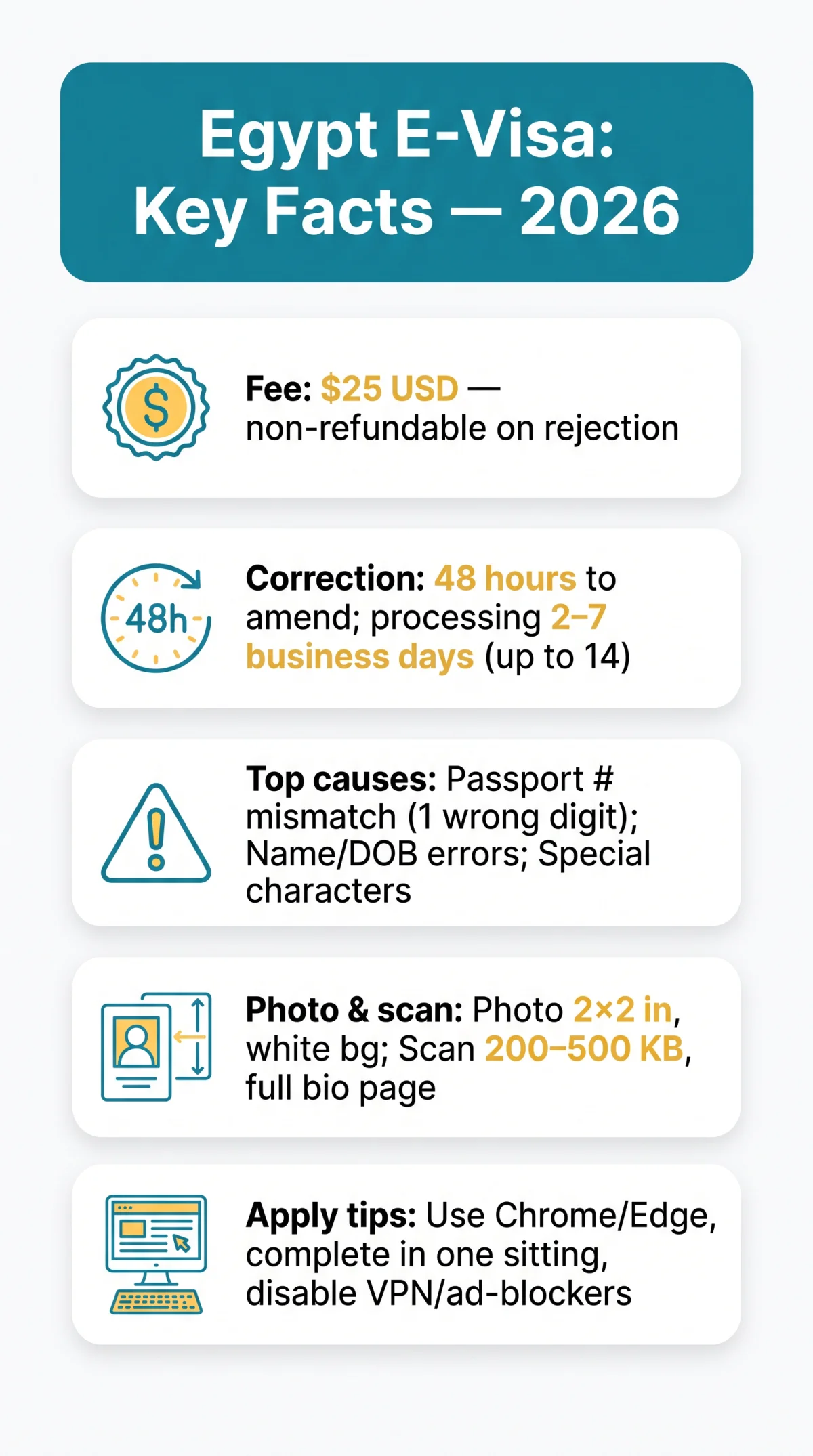
Egypt evisa common errors include passport number mismatches, misspelled names, non-compliant photos, and special characters the portal cannot process. The $25 USD fee is non-refundable on rejection, so verify every field against your passport bio page before submitting payment.
This guide covers the most frequent UK applicant mistakes and how to fix them, including when Visa on Arrival is the best fallback. The e-visa portal at visa2egypt.gov.eg requires user registration before starting and has a documented history of 404 errors, page crashes, and a save-and-resume bug that deletes all entered data. The portal holds a 1.7/5 Trustpilot rating with 79% one-star reviews, and suffered a near-week-long outage in November 2025 before recovery on 13 November 2025.
Most Frequent Egypt E-Visa Errors That Cause Rejection
Egypt evisa common errors – passport number mismatch (single wrong digit triggers “travel document does not match application’s data”), name spelling (must match passport including all middle names), wrong dates of birth (day/month/year), and omitted middle names – cause the majority of rejections for UK travellers.
- Passport number mismatch – one wrong digit produces the “travel document does not match application’s data” error and automatic rejection.
- Name spelling discrepancies – the full name must appear exactly as on the passport, including all middle names; any deviation results in rejection.
- Incorrect passport dates – wrong issue or expiry date entries cause rejection; required fields cover passport number, expiry date, and issue date.
- Date of birth mistakes – entering the wrong day, month, or year invalidates the application.
- Nationality mix-ups – selecting the wrong country of issuance produces a travel document mismatch.
Rejection notifications arrive via email. Applicants then have a 48-hour correction window to amend and resubmit; missing this deadline voids the application with no refund of the $25 USD fee.
Passport Number Mismatches – One Wrong Digit Invalidates Your Visa
A wrong passport digit, surname order mix-up, or omitted middle name produces a travel document mismatch flagged immediately by the Egypt e-visa portal.
Name Spelling Errors, Date of Birth Mistakes, and Nationality Mix-Ups
Name, date of birth, or nationality errors mean rejection, a new application, and a second $25 USD fee on the Egypt e-visa portal.
How to Enter Your Name Correctly: MRZ, Visual Zone, and British Surnames
Name entry errors cause a significant share of Egypt evisa common errors for UK travellers – always use the visual biographical page of your passport, not the Machine Readable Zone (MRZ) at the bottom. Transliteration differences are common: an Arabic name such as “المحمد” may render as “ELMOHAMED” in the visual zone but “ALMOHAMMED” in the MRZ. The visual zone is the authoritative source for the Egypt e-visa application.
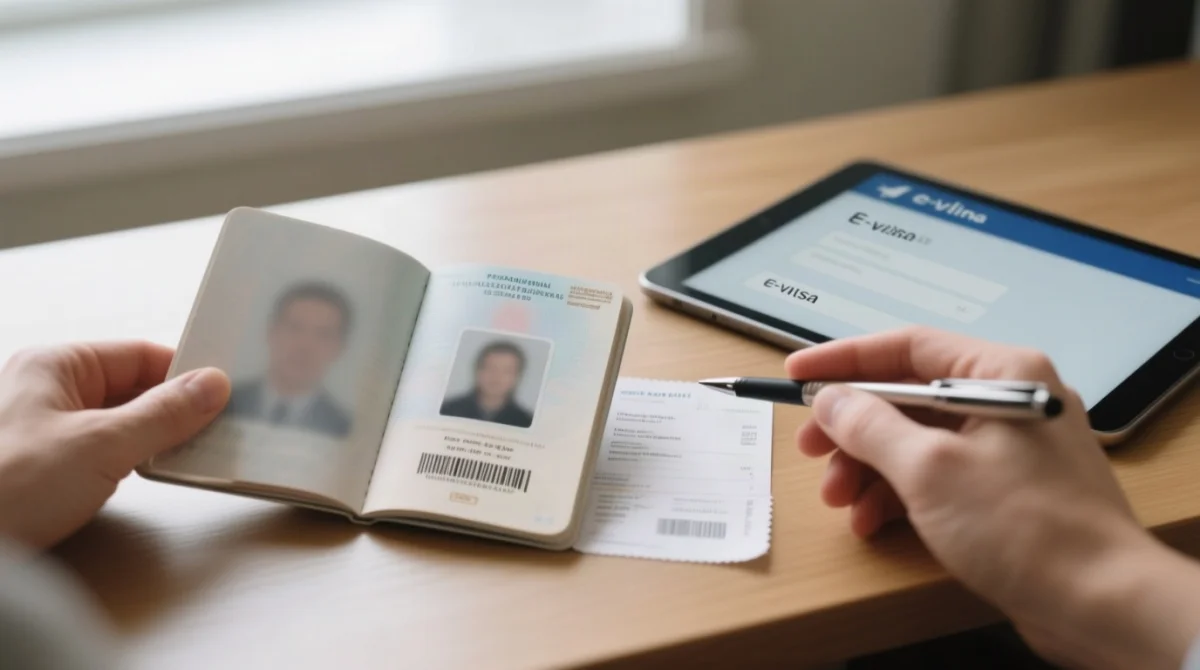
Special characters ( , / ? ´ ` ) break the Egypt e-visa portal – enter OBRIEN not O’Brien, SMITHJONES not Smith-Jones. Leave a space between words where punctuation would normally appear.
| Your Surname | Correct Portal Entry |
|---|---|
| O’Brien | OBRIEN |
| Smith-Jones | SMITHJONES |
| St. Clair | STCLAIR |
| MacDonald | MACDONALD |
Newly Married? Match the Passport, Not the Ticket
When a traveller’s ticket name differs from their passport, update the ticket – the Egypt e-visa must match the passport exactly.
Photo and Passport Scan Errors That Trigger Automatic Egypt E-Visa Rejection
Egypt evisa common errors involving non-compliant supporting documents block submissions before processing begins. Passport scans must be uncropped JPG or PNG files at 200-500 KB with the full biographical page visible and no flash glare. Traveller photographs require 2 x 2 inches, white background, recent, with no dark backgrounds. Cropped images are rejected automatically.
- Prepare your passport bio-page scan under 500 KB – larger files cause portal timeout errors on the Egypt e-visa system.
- Ensure the scan is a clear, coloured copy with good lighting so all text is legible.
- Verify photo specifications: 2 x 2 inches, white background, JPG or PNG format, no dark backgrounds.
Browser Glitches, Payment Failures, and Portal Errors on the Egypt E-Visa System
The Egypt e-visa portal has a documented history of 404 errors, page crashes, and a save-and-resume bug that deletes all entered data or duplicates applicant records. In our January 2026 test of the portal, the save-and-resume function deleted all entered data twice – we now recommend completing the application in one sitting.
Complete in one sitting
Fill out the form on visa2egypt.gov.eg in one session – the save-and-resume function deletes all data or duplicates applicant records.
Use Chrome or Edge
Disable ad-blockers, pop-up blockers, and VPN; switch to incognito mode if the page fails to load or shows an error message.
Check the payment page
Verify the obscured left-hand selection box on the payment page before confirming.
3D Secure Payment Failures and Ghost Debits
3D Secure verification failures prevent payment completion – try an alternative card. If the bank confirms the charge but no application reference is issued, check your statement for pending versus posted charges and contact the Egypt e-visa portal helpdesk immediately.
Browser and Technical Configuration Requirements
Clear your cache before starting; incognito mode bypasses many application portal malfunction issues including 404 errors and page crashes. The Egypt e-visa portal requires user registration before you can begin an application.
Correcting or Reapplying After an Egypt E-Visa Rejection
Rejection email includes a 48-hour correction window – after that, reapplication after rejection requires a new application and $25 USD payment with no visa fee refund.
Receive rejection email
Identify the flagged field in the rejection notification.
Correct within 48 hours
Open the portal at visa2egypt.gov.eg and correct the error within the 48-hour window.
Resubmit or reapply
If the window has lapsed, a new application requires paying $25 USD again.
Contact helpdesk if unresolved
Use the support page on visa2egypt.gov.eg or the email on your rejection notification. Consult the UK Foreign Office travel advice for Egypt alongside the portal.
| Option | Cost | Timeline |
|---|---|---|
| Reapply online | $25 USD | 2-7 business days (up to 14 reported) |
| Visa on Arrival (UK holders) | $25 USD cash at airport kiosks | Within minutes |
UK passport holders can purchase a Visa on Arrival for $25 USD in cash at Egyptian airport kiosks (Cairo, Hurghada, Sharm el-Sheikh, Luxor, Marsa Alam) before passport control. Cash in US Dollars is preferred, though British Pound notes have been reported accepted at Cairo Airport. The Egypt e-visa is valid for 90 days from issue, allows single entry, and permits a maximum stay of 30 days per entry.
Can You Fix a Typo on an Approved E-Visa? Three Scenarios
- Non-critical field – may still be accepted at the border.
- Wrong passport number – must reapply immediately before travel.
- Wrong name – must reapply; may face secondary screening.
How Long Does Approval Take After Correcting an Error?
Application processing time after correction: 2-7 business days (up to 14 reported). Egypt e-visa errors resolved within the 48-hour window avoid the need for a full reapplication.
Pre-Submission Checklist: Verify Every Field Before You Pay on the Egypt E-Visa Portal
Verify every field against your passport bio page before clicking pay – corrections after submission are not possible on the Egypt e-visa portal.
- Passport number – match exactly to bio page, watch for 0 (zero) vs. O (letter).
- Surname – match visual zone of passport, not MRZ.
- Given name(s) – include all middle names, no special characters.
- Date of birth – day/month/year format, verify against passport.
- Nationality – match passport issuing country.
- Passport validity – expiry date must be at least 6 months beyond entry date.
- Travel dates – verify entry and exit dates match itinerary.
- Photo – 2 x 2 inches, white background, recent, JPG or PNG.
- Passport scan – uncropped, full bio page, no flash glare, 200-500 KB, JPG or PNG.
- Host information – enter “self” for hotel stays; use your own phone and email; enter hotel address (omit postcode and country if field is too short, e.g. “Giza”).
- Child/minor applications – use one email per applicant; do not reuse parental email to avoid duplicate account errors on the Egypt e-visa portal.
- Dual nationality – use the passport you will present at immigration; enter its issuing country.
FAQ: Egypt E-Visa Common Errors
What are the most common Egypt e-visa errors in 2026?
Passport number mismatches, name spelling mistakes, date of birth inaccuracies, non-compliant photos, and special characters in British surnames that the Egypt e-visa portal cannot process.
Can I amend my Egypt e-visa after submission?
No. After rejection, use the 48-hour correction window to amend; otherwise, submit a new Egypt e-visa application and pay $25 USD again.
What if my passport number is wrong on my Egypt e-visa?
If not yet approved, contact the helpdesk via visa2egypt.gov.eg or resubmit. If already approved, you must reapply immediately – a wrong passport number invalidates the Egypt e-visa entirely.
Do I get a refund if my Egypt e-visa is rejected?
No. The $25 USD fee is non-refundable on any rejection type, including photo and data errors. No visa fee refund is available.
How long does it take after correcting an error on my Egypt e-visa?
Application processing time: up to 7 working days (typical 2-4 business days; some report up to 14 days). The approved Egypt e-visa is delivered by email.
How do I contact the Egypt e-visa helpdesk for incorrect details?
Visit the support page on visa2egypt.gov.eg or use the email on your rejection notification. Have your Egypt e-visa application reference number ready.
Can I use Visa on Arrival if my Egypt e-visa is rejected?
Yes. UK passport holders can purchase a Visa on Arrival for $25 USD cash at Egyptian airport kiosks before passport control, issued within minutes.
What browser should I use for the Egypt e-visa portal?
Use Chrome or Edge; disable ad-blockers, pop-up blockers, and VPN. If the Egypt e-visa page fails to load, switch to incognito mode or clear your cache.
Why does the Egypt e-visa portal say my passport data is not matching?
The name, passport number, or dates you entered do not match your passport bio page. Re-enter using the visual zone, not the MRZ, and avoid special characters on the Egypt e-visa form.
Can I travel if my Egypt e-visa has a minor typo?
A minor typo in a non-critical field may be accepted at the border. A wrong passport number or wrong name on your Egypt e-visa requires immediate reapplication before travel.
Found an error or outdated information? Contact our editorial team – we review and update this Egypt e-visa guide regularly.