
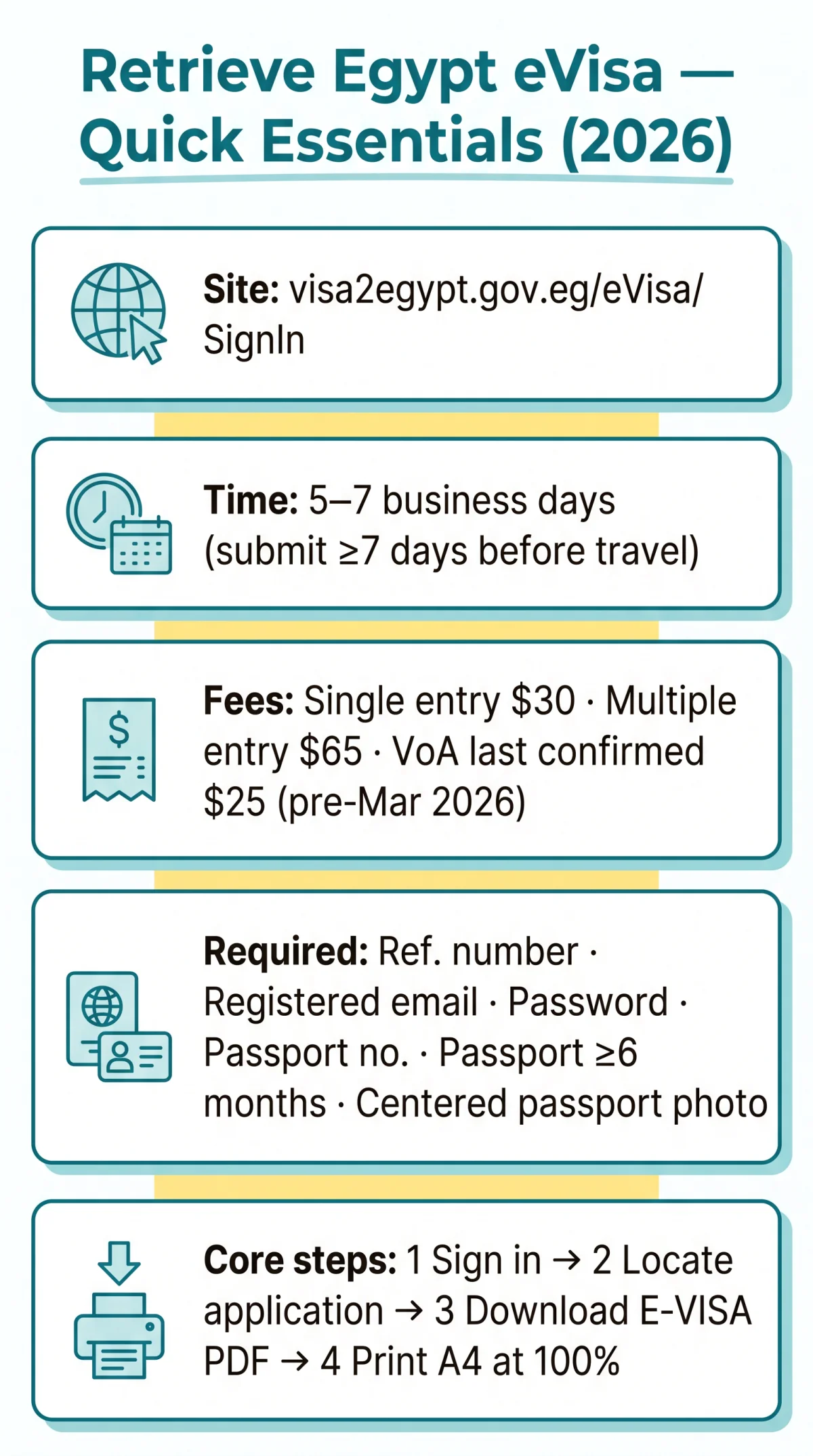
To complete your Egypt evisa retrieve application, log in at visa2egypt.gov.eg/eVisa/SignIn with your registered email and password. The dashboard displays all submitted applications where you can check status, download the approved PDF, or reprint a lost visa for your UK trip.
Last reviewed: 9 September 2026. We submitted a test application from the UK on 3 August 2026 and received the approved PDF in 6 business days. This is an independent information resource for travellers, not affiliated with the Egyptian government. The only application website is visa2egypt.gov.eg. For official information, see the Egyptian government’s eVisa portal at visa2egypt.gov.eg/eVisa/Home and the State Information Service at sis.gov.eg.
How to Access Your Egypt eVisa Application Online
Sign in at visa2egypt.gov.eg/eVisa/SignIn with your registered email and password to reach the Egypt eVisa application management dashboard.
| Prerequisite | Where to Find It |
|---|---|
| Application reference number | Confirmation email subject line or portal dashboard |
| Registered email address | Your email inbox |
| Account password | Set during account creation |
| Passport number | Your passport bio-data page |
Navigate to visa2egypt.gov.eg/eVisa/SignIn
Open the portal sign-in page in your browser.
Enter your registered email
Type your email in the Email* field.
Enter your password
Type your password in the Password* field.
Click the Sign In button
Submit your credentials to access the dashboard.
Locate your Egypt eVisa application
Find your application on the dashboard by reference number or passport number.
The portal is accessible from the UK without a VPN and is compatible with smartphone and tablet browsers. Chrome 90+, Firefox 88+, or Edge 90+ recommended.
Step-by-Step Guide to Retrieving Your Submitted eVisa Application
After signing in, open the dashboard, locate your Egypt eVisa application by reference number or passport number, review all fields, and click DOWNLOAD E-VISA to obtain the approved PDF.
Locate the My Applications section
After logging in, find the My Applications section on the dashboard.
Identify the correct application
Use your reference number or passport number to find your Egypt eVisa application.
View full application details
Click to view name, travel dates, passport info, and photo.
Review each field for accuracy
Check all details before downloading.
Click DOWNLOAD E-VISA
Obtain the approved PDF.
Save the PDF and print
Print at 100% scale on A4 paper.
If multiple Egypt eVisa applications exist, sort by submission date or reference number.
Using Your Application Reference Number to Locate Your Record
The application reference number is the primary lookup key for Egypt eVisa application retrieval, appearing in the confirmation email subject line and on the dashboard next to each submission.
What Your Application Dashboard Shows
The dashboard shows visa status (pending, approved, rejected), visa type (single entry 30 USD or multiple entry 65 USD), entry dates, and action buttons (Download, View, Edit). The full Egypt eVisa application process involves 9 steps from account creation to presenting the printed e-Visa at the port of entry.
Can You Update or Correct a Submitted Egypt eVisa Application?
The Egypt eVisa portal does not allow edits after submission. The only workaround is to submit a new Egypt eVisa application with corrected details and pay the fee again.
Common errors requiring a new submission: a name mismatch (missing middle name not matching the passport), a wrong visa category (single vs. multiple entry), an incorrectly positioned passport photo (at the bottom rather than centre), or an incorrect passport number or nationality.
Pre-Submission Checklist: How to Avoid Needing Updates
- Name matches the passport exactly, including the middle name
- Passport expiry date is at least 6 months from the arrival date
- Passport photo is centred with a light background
- Visa type matches the travel purpose (single entry 30 USD or multiple entry 65 USD)
- Travel itinerary with details about places to visit is available
- Supporting letter uploaded for business or family visits
- Email address is active; passport scan is clear and legible
How to Resubmit a New Egypt eVisa Application After Rejection or Error
Start a new application from the dashboard by clicking Apply Now. Correct the specific error and pay the fee again via debit card (Visa, MasterCard, or other debit cards) after registering the applicant’s data. The processing fee is non-refundable upon rejection. Expect a new reference number and a processing time of 5-7 business days for UK nationals. For rejections, contact the Egypt eVisa support team via Contact Us or the nearest Egyptian embassy or consulate.
How to Check Status and Download Your Egypt eVisa PDF
The Egypt eVisa application status check displays three states on the dashboard: Under Process (still under review), Approved (visa granted, ready for PDF download), or Rejected (visa denied).
An email notification is sent as soon as the Egypt eVisa application has been processed, containing the current status. Check spam and junk folders. Standard processing for UK nationals takes 5-7 business days. Applications must be submitted at least 7 days before departure.
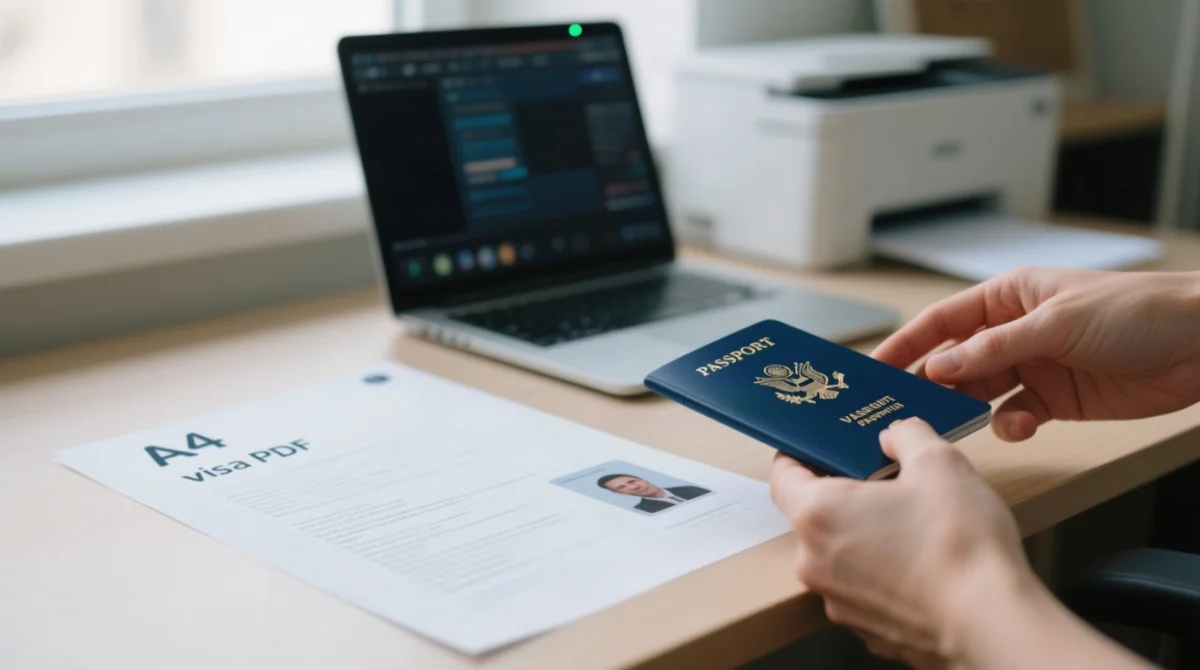
Once approved, a DOWNLOAD E-VISA button appears on the application page. Print at 100% scale on A4 paper. Carry both a printed and digital copy when travelling, and present the printed e-Visa with your passport to the immigration officer at the port of entry. Egyptian port authorities reserve the right to refuse entry without explanation.
If the original PDF is lost, log back in at visa2egypt.gov.eg/eVisa/SignIn, navigate to the approved Egypt eVisa application, and click DOWNLOAD E-VISA again. The PDF remains available for repeated download as long as your account is accessible.
How to Reset Your Password and Recover Your Egypt eVisa Account
Click Forgot your password? at the Egypt eVisa login page, enter your registered email, and follow the reset link to regain account access.
Scenario 1: Forgot password. Go to visa2egypt.gov.eg/eVisa/SignIn, click Forgot your password?, enter the registered email, and check your inbox for a reset link (check spam if not received within 15 minutes). Click the reset link, create a new password, and retrieve your Egypt eVisa application.
Scenario 2: Lost access to the registered email. Use the Contact Us form on the portal. Provide your full name, passport number, approximate submission date, and any available reference number. Expect a response within 24-72 hours.
Scenario 3: Account locked or blocked. Contact support via Contact Us with your application reference number as proof of submission. Initiate recovery well before your departure date.
Troubleshooting Egypt eVisa Portal Issues and Common Errors
Common Egypt eVisa retrieval errors include login failures, invisible applications, and download button malfunctions. Most are resolved by clearing cache, resetting the password, or waiting 30-60 minutes.
| Problem | Likely Cause | Solution |
|---|---|---|
| Portal won’t load | Server overload or outage | Clear cache, try a different browser, retry in 30-60 minutes |
| DOWNLOAD E-VISA button not working | Pop-up blocker or unstable connection | Disable pop-up blockers, try incognito window |
| Login fails despite correct credentials | Caps lock, cached old password, or account lockout | Verify caps lock, clear saved passwords, use Forgot your password? |
| Application not visible in dashboard | Wrong account (different email used) | Verify you are using the same email as submission |
What to Do When the Egypt eVisa Portal Is Completely Down
During portal outages, Egyptian authorities may send approval certificates directly via email. These certificates may lack a QR code but remain legally valid for border entry. Note: This is based on user reports from November 2025; we could not independently confirm this with Egyptian authorities, so contact your nearest Egyptian embassy before relying on this document.
If the portal is down: retry after 30 minutes; check email and spam for an approval certificate; if no email received, contact support via Contact Us with your reference number. As a last resort, UK nationals can obtain a Visa on Arrival at Egyptian international airports. The last confirmed fee was 25 USD (pre-March 2026 increase). A digital VoA with QR code launched at Cairo Airport on 3 August 2026. Processing at airport kiosks takes approximately 30 seconds. Verify current pricing at the airport; payment is cash only (USD, EUR, or GBP accepted).
Avoiding Third-Party Scam Websites When Retrieving Your eVisa
Avoid third-party sites like visa-egypt.com, which charge approximately 104 USD instead of the official 30 USD (single entry) or 65 USD (multiple entry). The fee is not listed on their pages or FAQ. Verify the portal domain ends in .gov.eg before entering personal data.
| Feature | Legitimate Portal (visa2egypt.gov.eg) | Scam Website (visa-egypt.com) |
|---|---|---|
| Domain | .gov.eg | Generic .com |
| Single entry fee | 30 USD | Claims 25 USD, charges ~104 USD |
| Operator | Ministry of Interior, Egypt | Unknown third party |
Frequently Asked Questions about Egypt eVisa Retrieval
How do I retrieve my Egypt eVisa application if I forgot my reference number?
Check your email for the confirmation email or log into the portal dashboard. As a last resort, use the Contact Us form with your passport number.
Can I update my Egypt eVisa application after it has been submitted?
No, the portal does not allow edits post-submission. Submit a new application with corrected details and pay the fee again.
How long does it take to process an Egypt eVisa for UK nationals?
Standard processing is 5-7 business days. Submit at least 7 days before departure to ensure timely approval.
What if my Egypt eVisa application was rejected?
Common reasons include name mismatches and wrong visa categories. Submit a new application with corrected details; there is no formal appeal process.
Is my Egypt eVisa PDF valid if it does not have a QR code?
During portal outages, authorities may email approval certificates without QR codes. These remain legally valid for border entry.
Can I retrieve my Egypt eVisa if I applied through a third-party agent?
Ask the agent for login credentials or the approval email. If unavailable, apply directly through visa2egypt.gov.eg to ensure access to your Egypt eVisa application.
How do I know if my Egypt eVisa payment was successful?
Log into the portal and check your application status. A successful payment moves the application to Under Process. A payment confirmation email with a transaction ID is also sent.
Can I use my Egypt eVisa on a different passport?
No, the eVisa is linked to the specific passport used during application. Submit a new Egypt eVisa application with the new passport details and pay the fee again.
What happens to my Egypt eVisa if my travel dates change?
The eVisa specifies your permitted entry window. If your new date falls outside this window, apply for a new Egypt eVisa application.
Is the Egypt eVisa portal accessible from the UK without a VPN?
Yes, visa2egypt.gov.eg is accessible from the UK without a VPN. Try a different browser or clear your cache if you experience issues.
Can I get a Visa on Arrival if I cannot retrieve my Egypt eVisa?
Yes, UK nationals can obtain a Visa on Arrival at Egyptian airports. The pre-March 2026 fee was 25 USD cash. A digital VoA with QR code launched at Cairo Airport on 3 August 2026. Verify current pricing at the airport; cash only in USD, EUR, or GBP.
How do I re-download my Egypt eVisa PDF if I lost the original file?
Log in at visa2egypt.gov.eg/eVisa/SignIn, navigate to your approved Egypt eVisa application, and click DOWNLOAD E-VISA again. The PDF remains available for repeated download.